How to update API code for an existing experience

Keeping API codes up to date is essential to maintain the functionality of your experience. This ensures that there are no errors in the product in terms of pricing, inventory, etc.
You can easily raise a ticket with us to update any experience that has an updated API code.
Here's how you can get it done:
Step 1: Log in to Hub
Log in to your Hub Account using your credentials.
Step 2: Go to Help Center
Click on the icon at the bottom left of your screen.
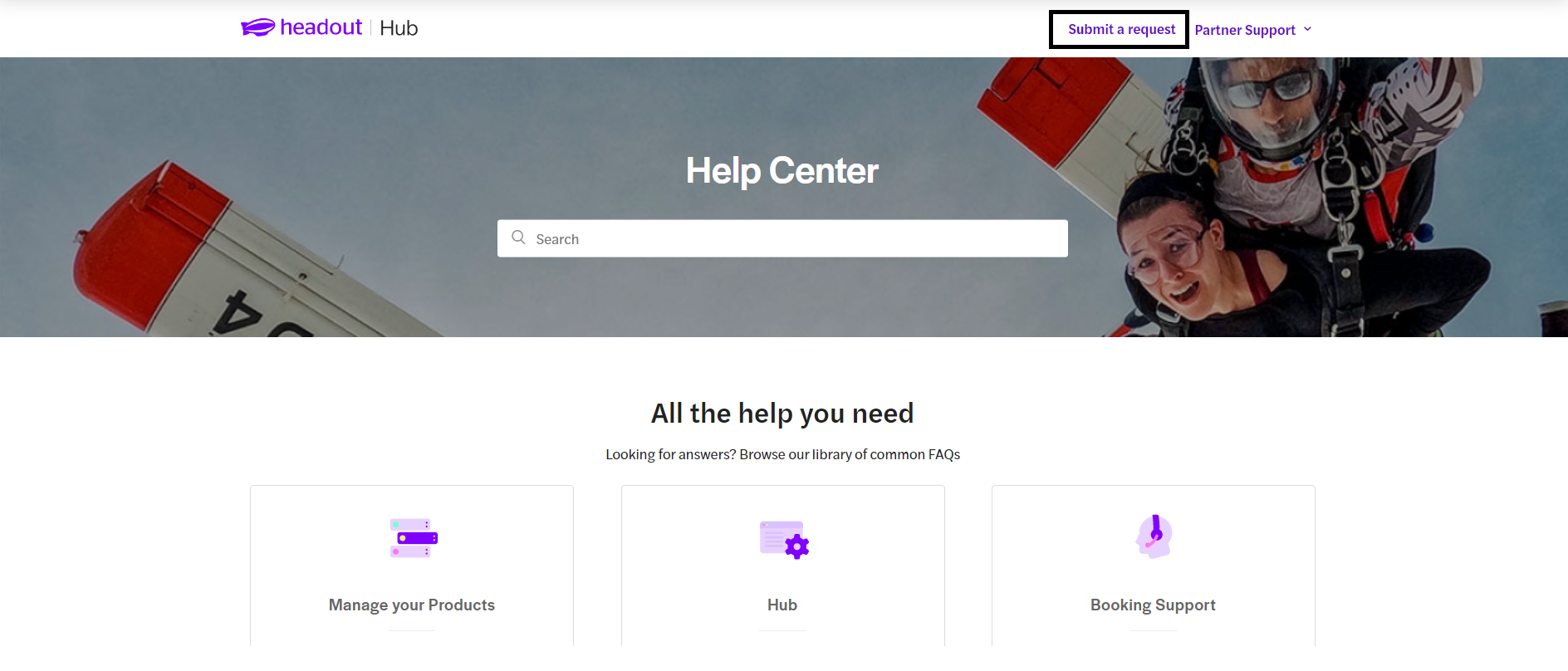
Step 3: Click on "Submit a Request"
It is located at the top right corner of the Help Center.
Step 4: Select the relevant category
"API and Integration" from the drop-down menu
Step 5: Select the issue
Please select "Update API code for existing experience"
Step 6: Fill in the remaining fields with relevant information
Please make sure you share the correct API codes along with the experience ID.
Once you submit, the information is shared with the concerned team and you can track the status of your tickets accordingly. We will get back to you, if we require any additional information.
Was this article helpful?
0 out of 0 found this helpful