How to manage pricing on Hub

You can update your listing price for a particular experience directly on Hub!
Quickly and easily make changes to the discount percentage and experience price for any particular day and slot to see it directly reflected on the Headout website! The new price is the one at which the customer will purchase your experience.
Note: In case you are connected with us via API you can make those changes in the API Platform directly.
Here's how you can do it:
Step 1: Log in to Hub
Log in to your Hub Account using your credentials.
Step 2: Select Manage Inventory & Pricing
View the available experiences on your Hub home page.
Then click on the Manage Inventory & Pricing button against the product you wish to change the retail pricing.
Step 3: Change Pricing
Under the pricing tab, select the date and time slot you wish to change the pricing.
Once the changes are made, click on the ‘Next: Review Changes’ button.
Step 4: Save and Confirm Changes
Once all your changes have been made and reviewed, click on the ‘Confirm and Save’ button to make these changes live.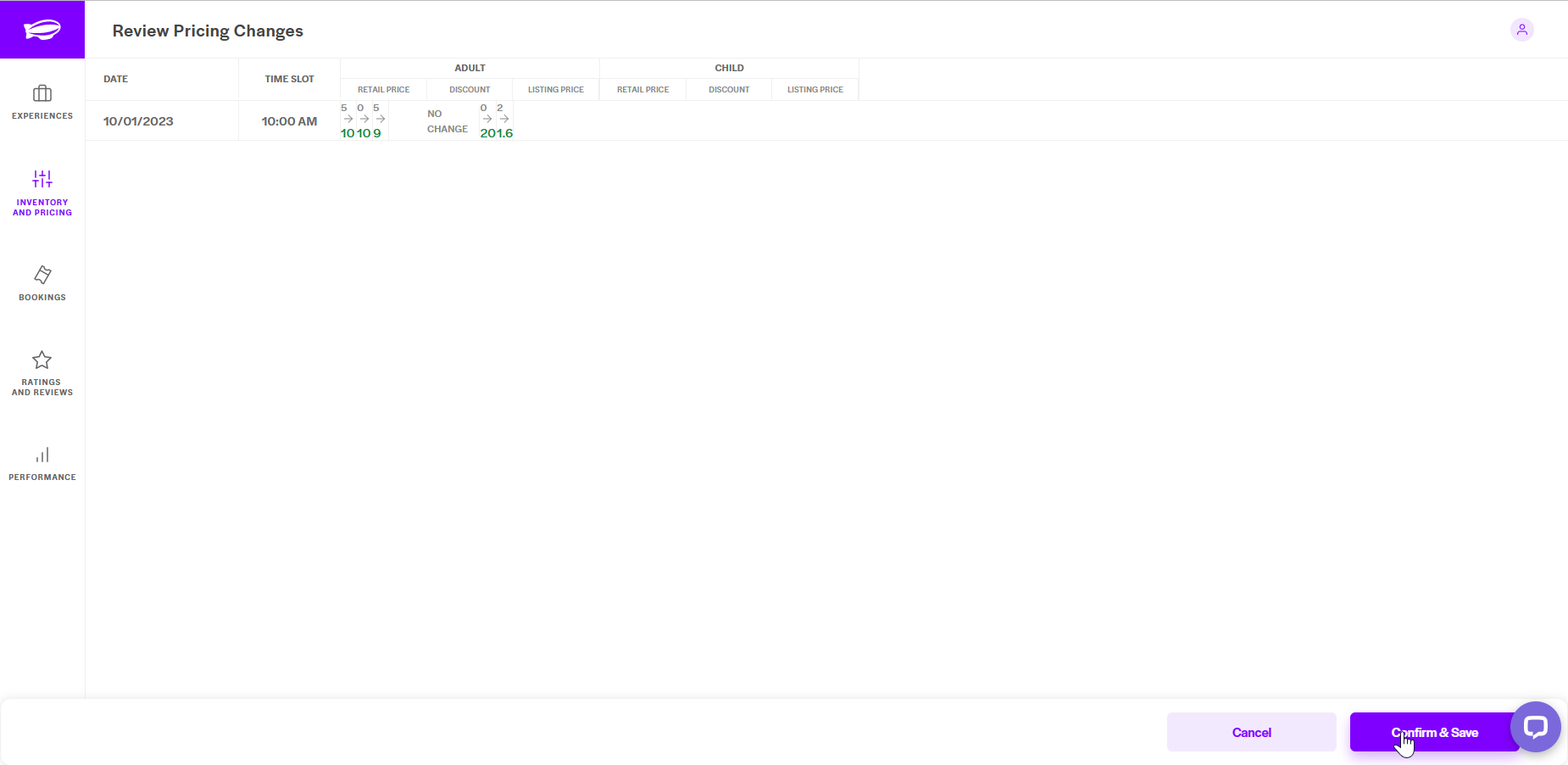
In case you are unable to update the prices on Hub, you can always raise a ticket with us. Our relevant team will action this and get back to you.
Was this article helpful?
1 out of 9 found this helpful